Bitepixa guidesAdd context to your food diary with a daily note
Bitepixa 0.2.0 · November 13, 2026
Watch the matching tutorial
A short note can explain something the meal list does not: a packed lunch, a journey, or a reminder for later. The example below uses an isolated demonstration diary.
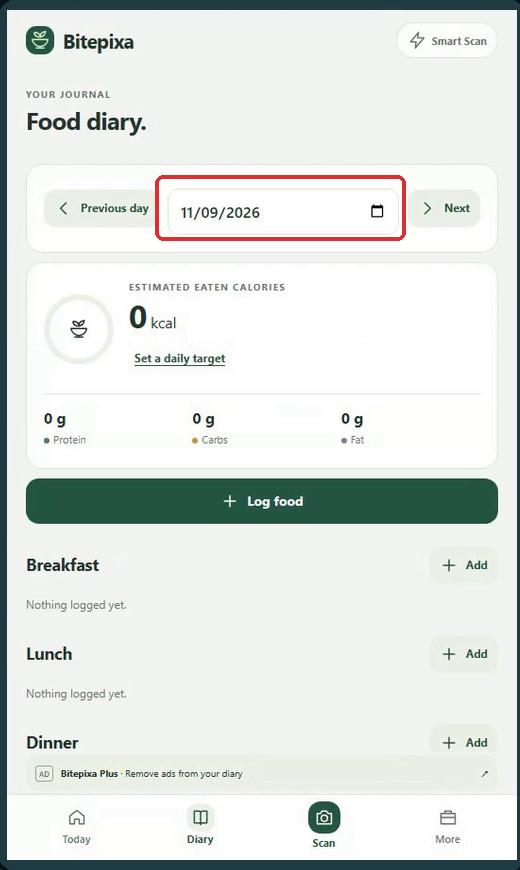
1. Check the date
Open Diary and check the date at the top. The note belongs to the day you are viewing.
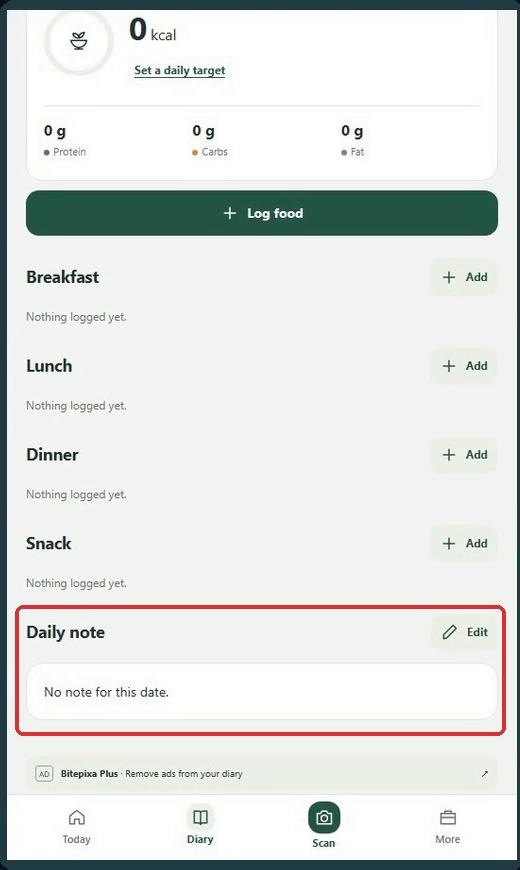
2. Find Daily note
Scroll below the meal sections. Tap Edit beside Daily note. You can write a note even when that day has no meals recorded.
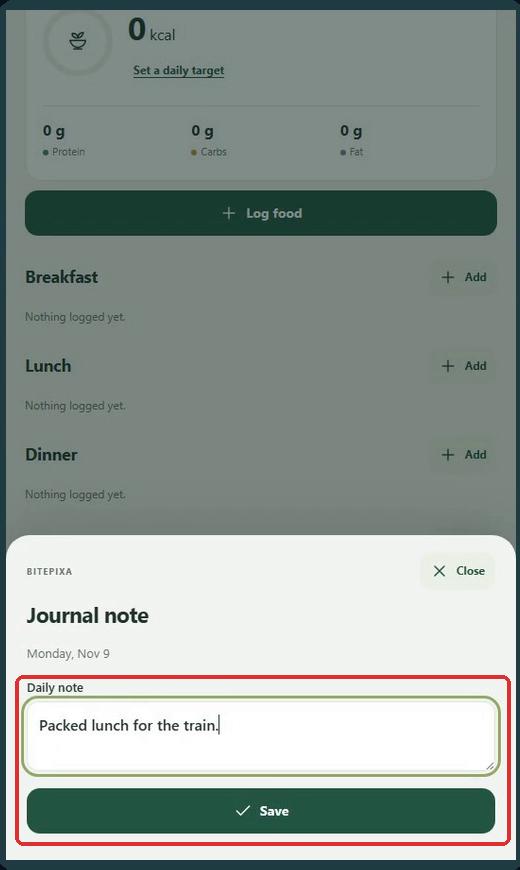
3. Write and save
Enter a brief reminder in the Journal note sheet. Here the example is “Packed lunch for the train.” Tap Save.
4. Read the saved note
The text appears under Daily note. Return to this date and use Edit if you want to change it.
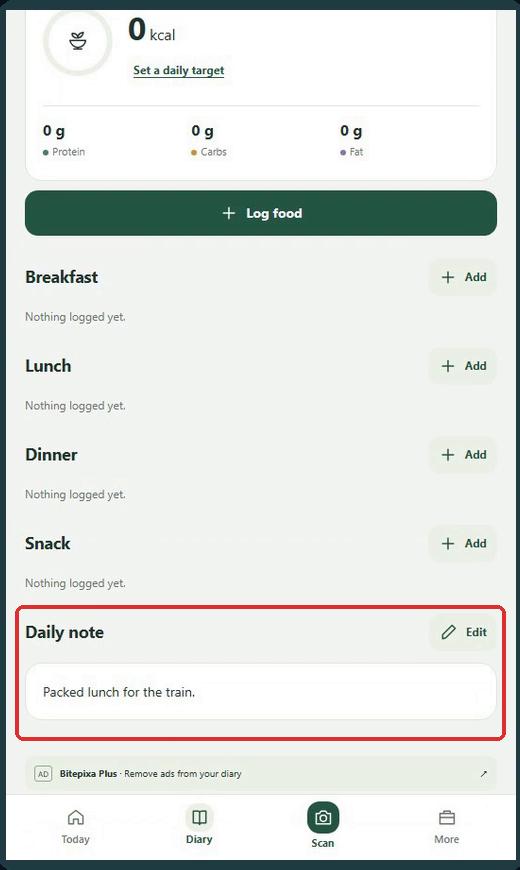
Red outlines identify the controls discussed. Images come from the Bitepixa 0.2.0 release interface with example data.