Bitepixa 0.2.0 · Getting started
Log your first meal in Bitepixa
Bitepixa guides · Watch the recipe walkthrough
Bitepixa lets you build a food diary from photos, food searches, or recipes. Try a recipe first: the ingredients are already listed, so you can see how a meal moves from your plate into your daily total.
The red outlines and arrows mark the controls and saved entry in these screenshots.
1. Find the oats recipe
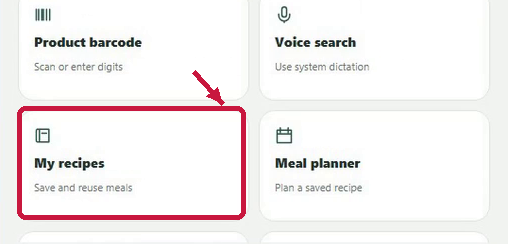
Open More, choose My recipes, then Browse recipes or import ingredients. Choose Blueberry overnight oats from the recipe collection.
2. Review one serving
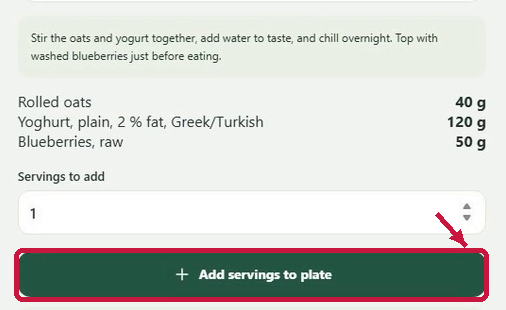
The example bowl contains 40 g of rolled oats, 120 g of yogurt and 50 g of blueberries. Leave Servings to add at 1, then choose Add servings to plate. Compare the listed amounts with your own bowl and edit any that differ. The displayed energy and nutrients are estimates based on those amounts.
3. Count what you ate
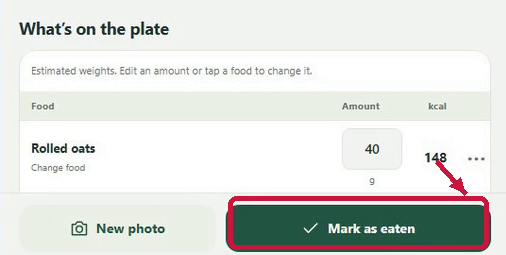
For this example, leave Amount eaten at 100% and select Mark as eaten. Bitepixa adds the meal to the selected date’s balance.
4. Find the saved meal
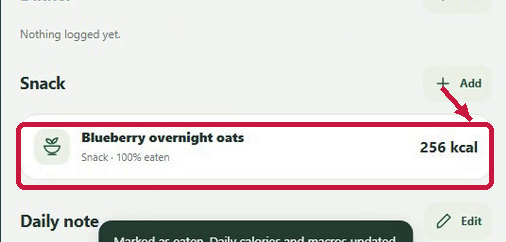
Open Diary and check the date. In this example, scroll to Snack to find Blueberry overnight oats, recorded as 100% eaten with an estimated 256 kcal. Your entry’s category and total depend on the meal and portions you chose.
When you’re ready to explore further, open More. Use Meal planner for future meals and Progress to look back at your diary.